

Adding Assets to an Open Project
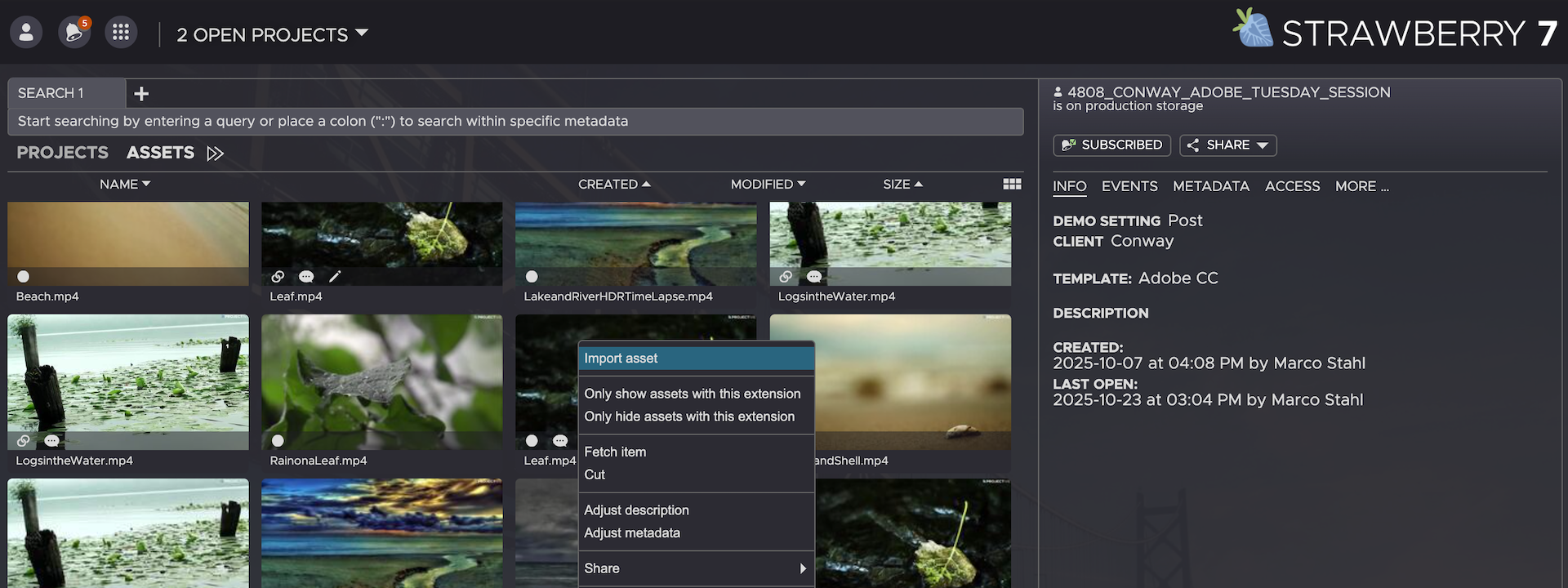
1. Right-click on the asset that you would like to import. You can also select multiple assets or a folder for import.
2. In the context menu, click on the Import button.
3. Choose whether you want to link or copy the asset into your project by clicking on the respective button.
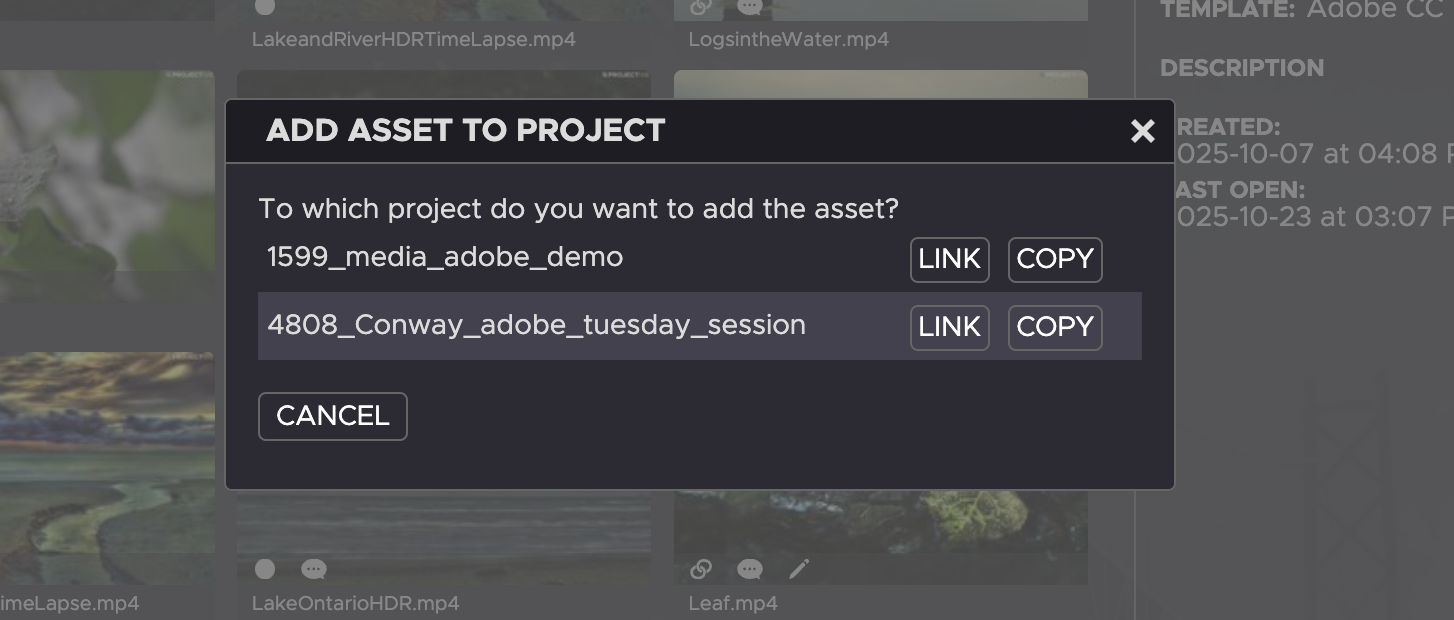
- Copied assets will appear in the top level of your mounted Strawberry project.
- Linked assets will appear inside the
Linked-Filesfolder of your project.
Need more help with this?
Visit the Projective Support Websites